




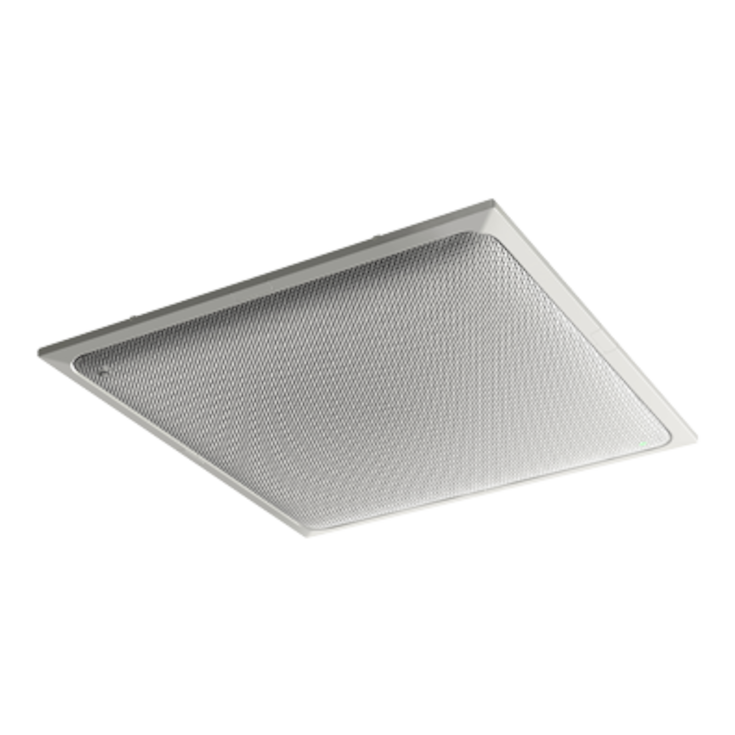
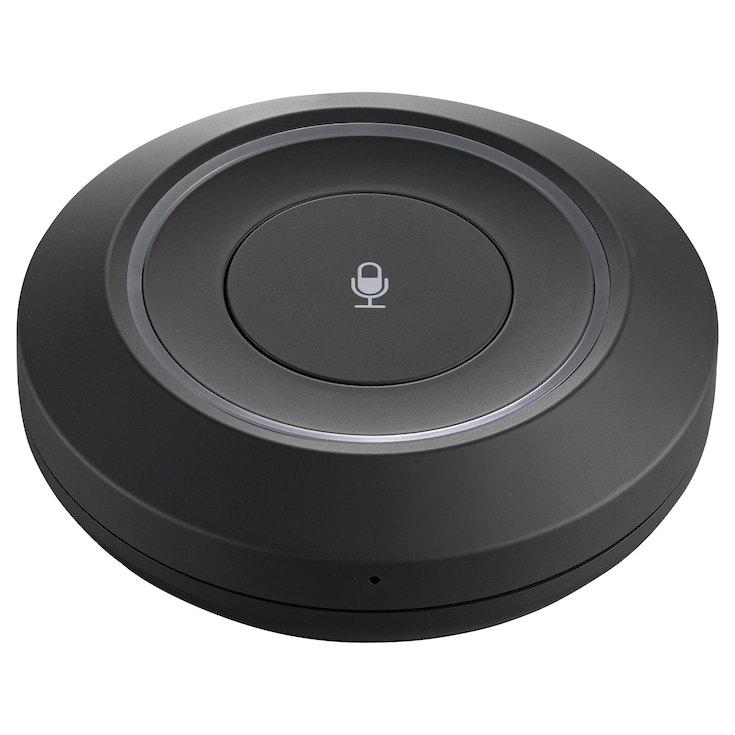
A ceiling array microphone equipped with unique audio signal processing technology that enables high-quality communication

Systeemontwerpsoftware voor Yamaha ADECIA componenten.

Kenmerken
Moeiteloos en toch professioneel - Automatisch ontwerpen en instellen voor Voice Lift
Van apparaatkeuze tot audioafstemming, de Room Design hulpmiddelen in ProVisionaire Plan en ProVisionaire Cloud automatiseren samen met de ADECIA conferentieoplossing het proces om helder en natuurlijk geluid te leveren, zelfs in grootschalige ruimtes.
*Deze functie wordt ondersteund door ADECIA Firmware Versie 3.0 en hoger.
The easy way to design and configure professional conferencing systems
ProVisionaire Plan makes design and device selection for ADECIA conferencing systems easy for everyone from novice users to acoustics experts. Optimized plans can be created in minutes by simply entering a few basic system requirements. Output includes data and visualizations that support the creation of comprehensive proposals, giving clients and users the confidence they need to make decisions while dramatically reducing overall workload and cost. ProVisionaire Plan is a brilliant example of how advanced IA (Intelligent Automation) can simplify traditionally complex, difficult tasks so that anyone can design and deliver high-performance systems with unprecedented ease, speed, and economy.
Easy Operation
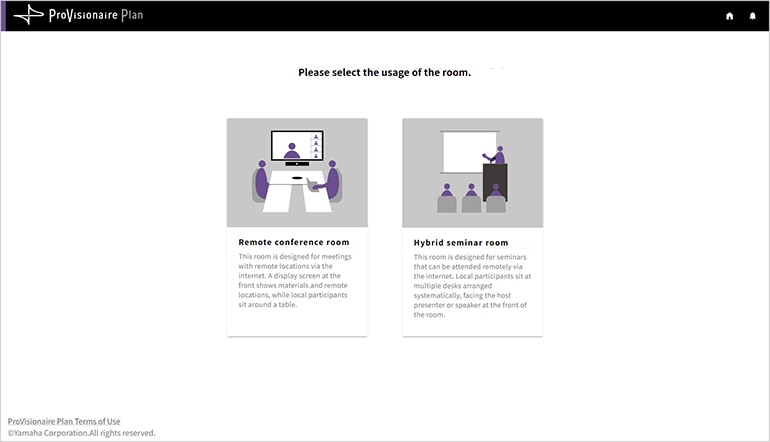
The process begins with the selection of either “Remote Conference” or “Hybrid Seminar” as the main purpose of the room. Then the room dimensions, furnishings, and a few other parameters are entered. Any potential noise sources and locations where equipment cannot be installed can also be specified as necessary. Once the required information has been entered as per the on screen instructions, ProVisionaire Plan will automatically select and lay out appropriate devices for the specified environment. No knowledge of acoustics or system design is required for any of the above, making ProVisionaire Plan a cost-effective solution for high-performance conferencing system design.
-
Step 1
Specify the purpose of the room
-
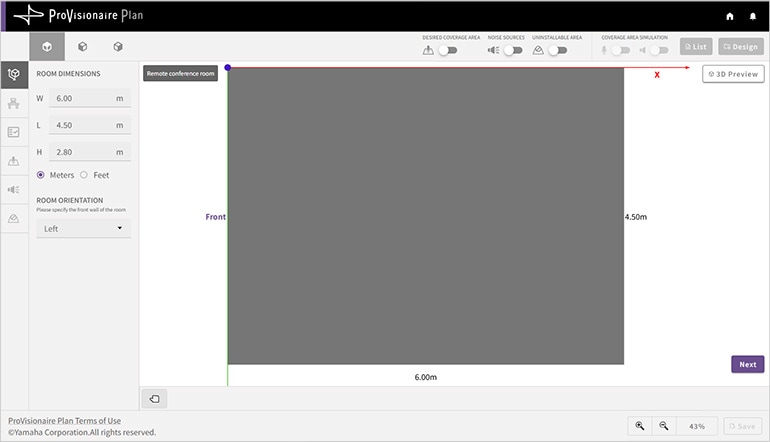
Step 2
Enter room dimensions
-
Step 3
Specify furnishings (tables, chairs, etc.)

-
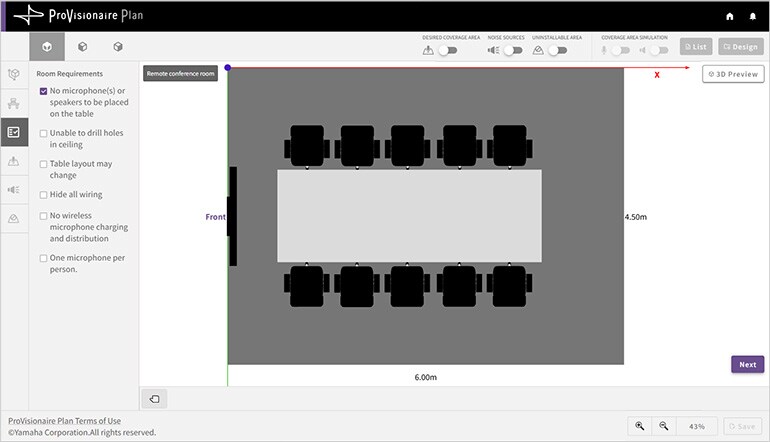
Step 4
Specify device requirements
-
Step 5
Specify the sound pickup area
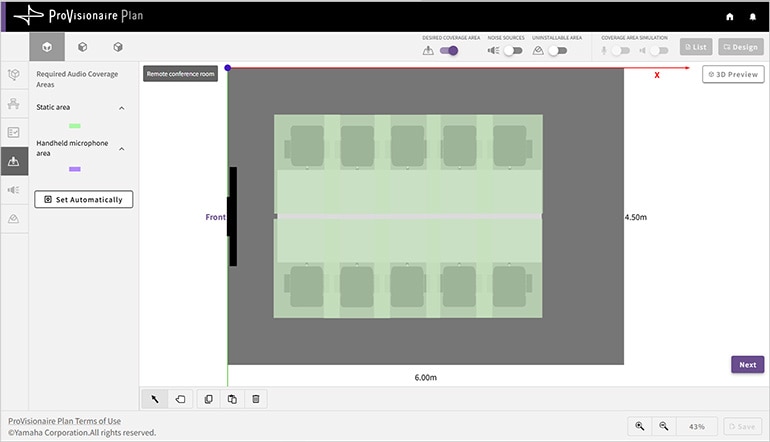
-
Step 6
Specify noise sources (air ducts, etc.)
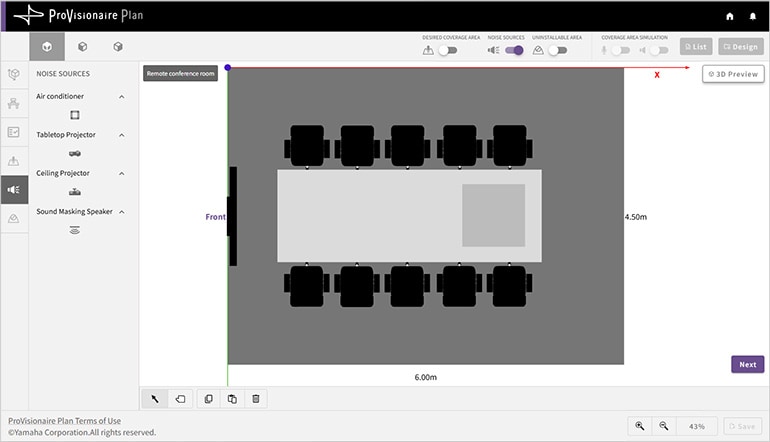
-
Step 7
Specify non-installable areas
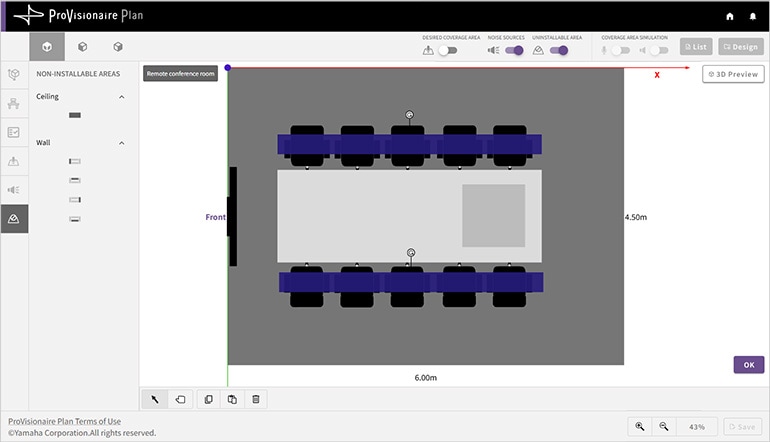
-
Step 8
The automated design is completed
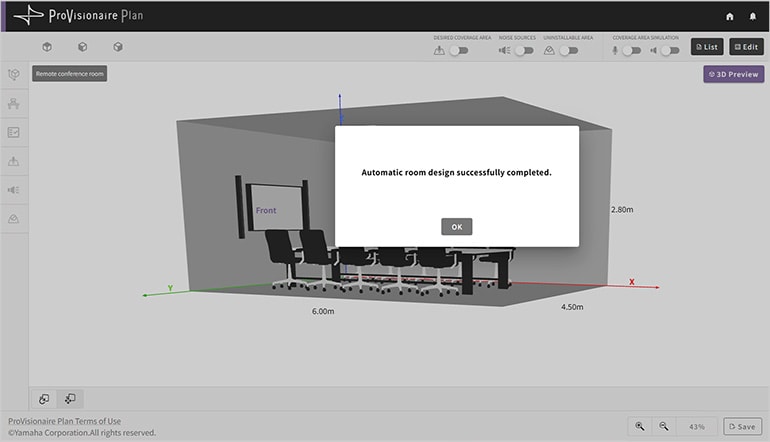
Automatisch ontwerpen voor Voice Lift
Door simpelweg “Voice Lift AAN” te zetten in de instellingen ontwerpt het systeem automatisch de gehele opstelling - van de optimale configuratie van microfoons en luidsprekers tot de plaatsing ervan - waardoor het proces snel en moeiteloos verloopt.
Het hulpmiddel genereert automatisch de meest geschikte microfoon- en luidsprekeropstelling voor Voice Lift en je kunt de resultaten exporteren als PDF.
Dit maakt het eenvoudig om verschillende ontwerpvoorstellen te maken en te presenteren en ondersteunt een soepele en efficiënte systeemplanning vanaf de eerste conceptfase.
*Let op: Ontwerpgegevens voor Voice Lift systemen die zijn gemaakt in ProVisionaire Plan kunnen niet worden geïmporteerd in de RM-CR. Om de Voice Lift functie automatisch te configureren in de RM-CR, moet je Room Planner gegevensbestanden importeren die zijn gemaakt met ProVisionaire Cloud - Room Planner.
Comprehensive Output
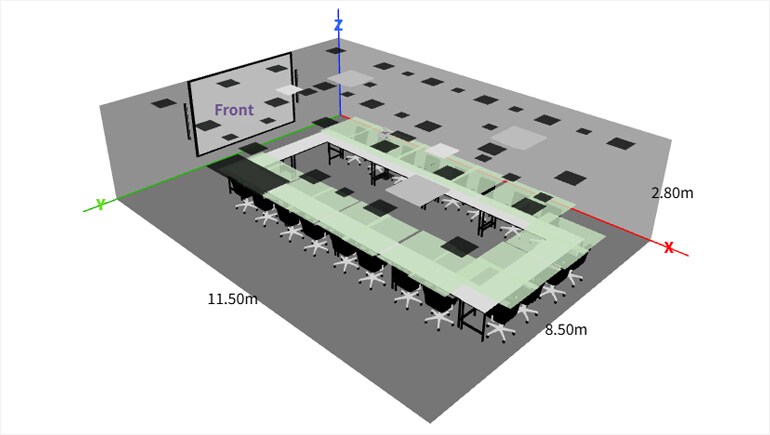
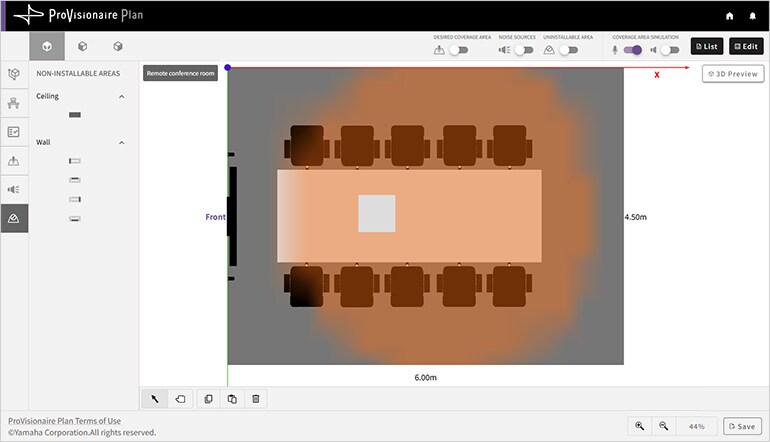
The results are presented in comprehensive visual form that is easy to understand. The sound coverage area is clearly displayed so that users can see at a glance whether the proposed system’s performance meets their needs. A rotatable 3D representation of the room and sound coverage provides extra detail and a realistic “feel” for the final result. Visual output makes it easy to confirm that ProVisionaire Plan has created a system that suits the specified criteria, giving users and customers the confidence they need to make a final decision and go ahead with the project.
-
Speaker coverage
Visual confirmation that speaker coverage is uniformly ideal for all participants.

-
Microphone pickup area
Visual confirmation that the specified microphone pickup area meets the design criteria.
-
3D view
A rotatable 3D overview of the entire room allows the results to be viewed from any angle.

Fast automated design requires no acoustics know-how
ProVisionaire Plan has been specifically created to allow novices and experts to design and configure professional quality conferencing systems. No acoustics know-how or experience is required. Just enter some basic parameters such as room dimensions, furniture type and location, and a few others, and ProVisionaire Plan will return an optimized ADECIA system design with a list of required components and their layout. The speed and simplicity of this dependable tool can significantly reduce the time and cost required to make system proposals.

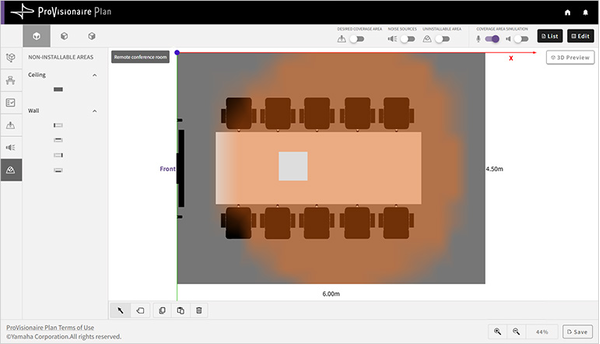
Sound field visualization facilitates proposals and inspires confidence
A visual representation of the sound field generated by the proposed system makes it easy for customers and users to decide whether the system meets their needs. In that sense ProVisionaire Plan provides confidence and peace of mind in addition to high-performance conferencing systems delivering functionality and sonic performance that easily meet or even exceed expectations.
Backed by Yamaha acoustics expertise
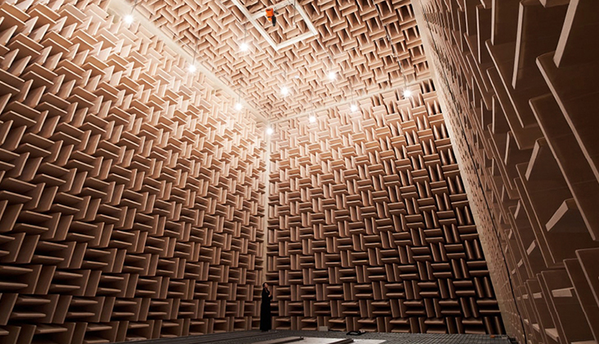
Yamaha is no newcomer to acoustics design. Our expert team has designed the acoustics for more than 300 acclaimed halls and theaters worldwide. That same design team spearheaded development of the ProVisionaire Plan application, making years of acoustics expertise and experience accessible to everyone in a simple, dependable tool that encapsulates some of the most advanced spatial acoustics techniques available.
Gerelateerde informatie
Gerelateerde Producten

Nieuws



* Specificaties kunnen op elk moment worden gewijzigd zonder voorafgaande aankondiging. De weergegeven kleuren en afwerkingen kunnen verschillen van de werkelijke producten.
