





Dit is een uitbreidingslicentieset die ingangs-/uitgangskanalen van Sound xR Image objectgebaseerd mixen toevoegt aan de DME7. Er kunnen maximaal twee licenties aan één DME7 worden toegevoegd. Licenties kunnen worden geactiveerd via ProVisionaire Cloud.
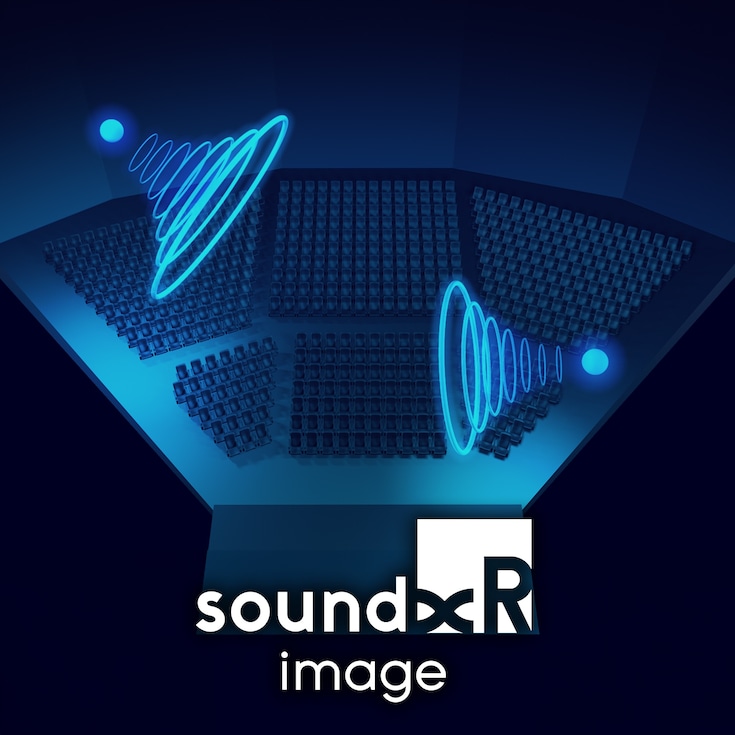
Met Sound xR Image kunnen gebruikers de waargenomen posities van geluid in een ruimte regelen. Sound xR Image ondersteunt de besturing van maximaal 128 objectgebaseerde kanalen van immersief geluid.

Voordelen
[Voor contentmakers]
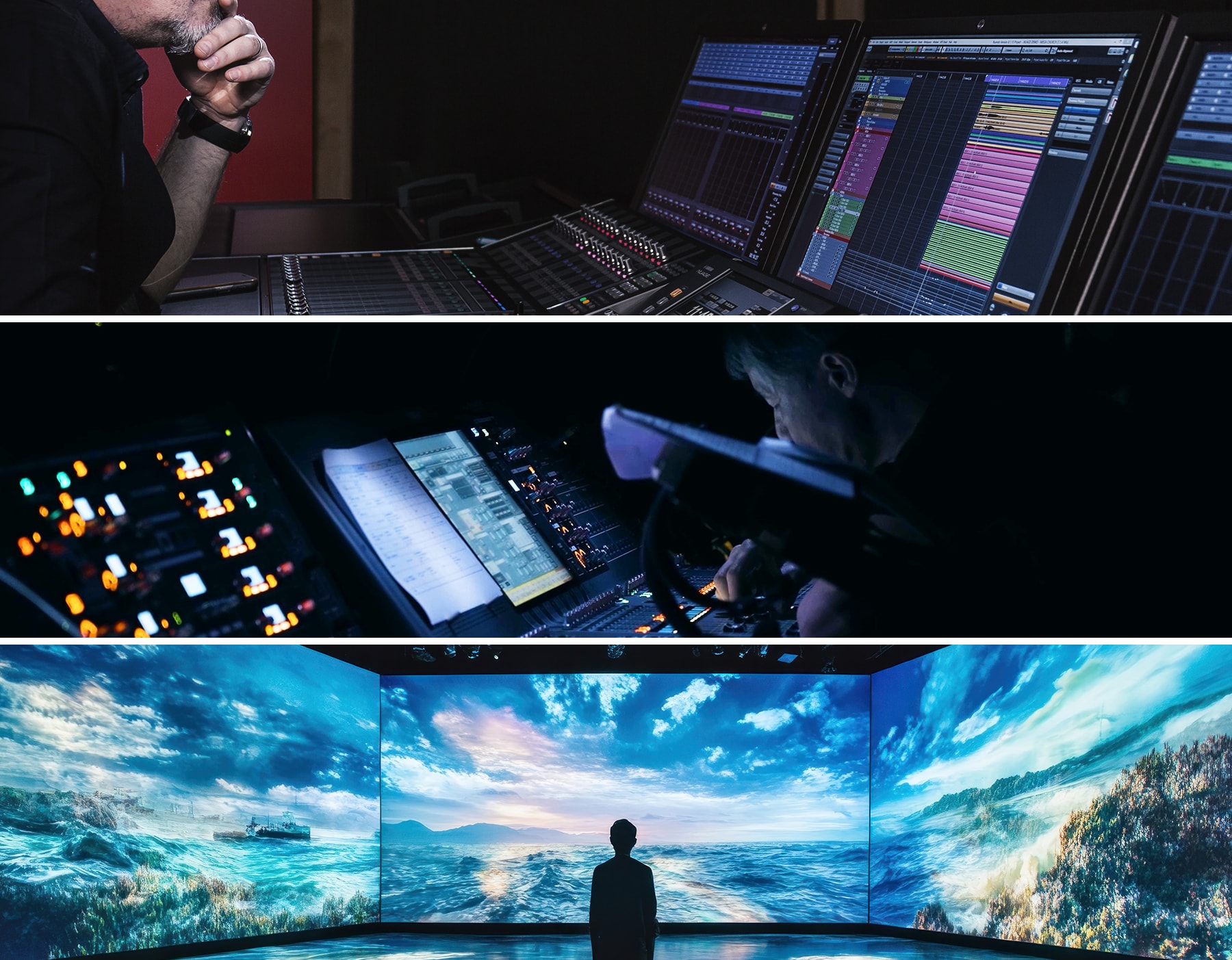
Sound xR Image integreert naadloos met de Nuendo DAW-software van Steinberg, waardoor makers de complexe geluidsexpressies van in de studio geproduceerde content natuurgetrouw kunnen reproduceren op fysieke locaties.
[Voor geluidstechnici]
Sound xR Image beschikt niet alleen over functies die bijdragen aan een subtiele en creatieve geluidsexpressie, maar implementeert ook workflows en functies die zijn ontworpen om de werklast voor geluidstechnici te verminderen. Tijdens live-optredens kunnen de klankbeeldbeweging en diverse parameters niet alleen worden geregeld via de Sound xR Image Controller met zijn intuïtieve GUI, maar ook vanaf industriestandaard Yamaha-mengpanelen.
[Voor zaal-/projecteigenaren]
Sound xR Image blinkt uit in het leveren van hoogwaardige, natuurlijke geluidsweergave, waardoor de akoestiek in een zaal naar een hoger niveau wordt getild en er geheel nieuwe ruimtelijke effecten en akoestische ervaringen ontstaan. Door Yamaha en NEXO's uitgebreide assortiment processors en luidsprekers op de juiste manier te combineren, kunt u bovendien het optimale systeem selecteren dat is afgestemd op de grootte en het budget van de locatie.
Kenmerken
- Objectgebaseerde rendering met de DBAP-methode, die een hoge flexibiliteit biedt in de configuratie van het luidsprekersysteem, soepele bewegingen van het klankbeeld en minimale degradatie van de geluidskwaliteit.
- Bevat “Rendering Area Conversion” voor een nauwkeurige klankbeeldbeweging en lokalisatie op maat van de ruimtelijke geometrie van de zaal. Dit draagt ook bij aan het verkorten van de remixtijd.
- Met “Speaker Zoning” kunt u objecten groeperen voor rendering, zodat u een nauwkeurige geluidslokalisatie krijgt.
- De “Sub Renderer”-functie om de weergave en lokalisatie van geluid met lage frequenties te verbeteren
- Yamaha's nieuw ontwikkelde functie “3D Reverb” maakt het mogelijk om rijke, natuurlijke galm met een hoge geluidskwaliteit aan elk object toe te voegen.
Objectgebaseerd renderen
Sound xR Image maakt gebruik van een objectgebaseerd audiosysteem. Dit maakt flexibele weergave mogelijk die zich aanpast aan verschillende luidsprekerconfiguraties in studio's of live-omgevingen, en maakt efficiënt mixen en produceren mogelijk doordat dezelfde inhoud op meerdere locaties kan worden hergebruikt. Bovendien maakt het gebruik van DBAP renderingtechnieken, waardoor het klankbeeld soepel kan bewegen en zeer flexibele luidsprekersystemen kunnen worden gebouwd.
Rendering Area Conversion
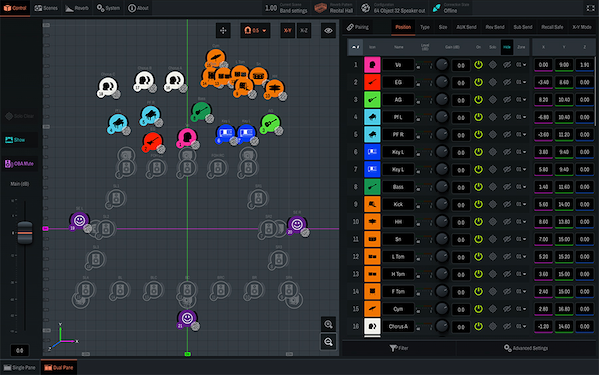
Met de functie “Rendering Area Conversion” kunnen gebruikers logische panninggebieden, zoals die in DAW's of consoles, omzetten in een willekeurige configuratie, variërend van een basiskubus tot een veelhoek met 16 zijden, waarbinnen objecten geplaatst kunnen worden. Er zijn drie lagen beschikbaar, waarbij de hoogte van elke laag individueel door de gebruiker kan worden ingesteld. Dit maakt bewerkingen mogelijk zoals het renderen en besturen van objecten die worden uitgevoerd vanaf de console binnen het podiumgebied, terwijl het renderen en besturen van objecten die worden uitgevoerd vanaf de DAW binnen het zitgedeelte van het publiek mogelijk is.
Speaker Zoning
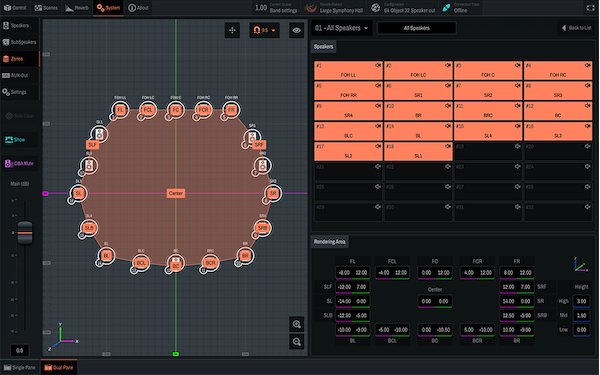
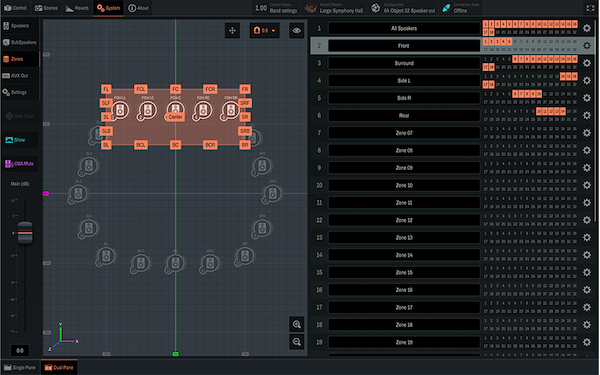
Met de functie “Speaker Zoning” kunnen audio-objecten worden gerenderd via specifieke luidsprekergroepen binnen het systeem. Sound xR Image maakt het mogelijk om tot 32 luidsprekerzones te definiëren, waardoor nauwkeurige controle over de perceptie van geluidslokalisatie mogelijk is.
Sub Renderer
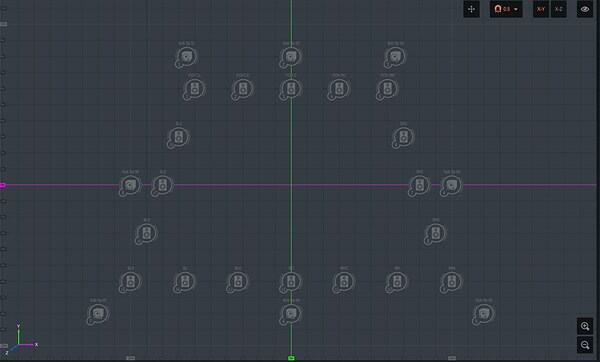
Met de functie “Sub Renderer” kan een enkel geluidsobject tegelijkertijd worden gerenderd naar een subwoofergroep die los staat van de gespecificeerde luidsprekerzone. Deze functie is effectief voor het versterken van geluidslokalisatie en -beweging met subwoofers voor lage frequenties of invulluidsprekers, evenals voor het monitoren van ruimtes die gescheiden zijn van de hoofdlocatie.
3D Reverb
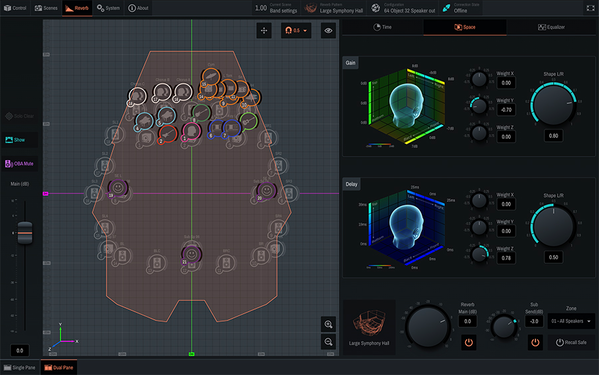
In fysieke akoestische ruimtes verandert de waargenomen nagalm afhankelijk van de positie van de geluidsbron. Voortbouwend op jarenlange expertise op het gebied van akoestisch theater- en zaalontwerp, ontwikkelde Yamaha zijn unieke “3D Reverb”-functie. Deze functie creëert een nagalm die is geoptimaliseerd voor de positie van elk afzonderlijk object en de luidsprekerconfiguratie, waardoor een realistisch klankveld wordt bereikt met behoud van de helderheid van het klankbeeld. De richting en spreiding van de nagalm kan vrij worden geregeld via een intuïtieve GUI.
Aanbevolen toepassingen
Muzikaal optreden
Geluidslokalisatie maximaliseert realiteit en impact
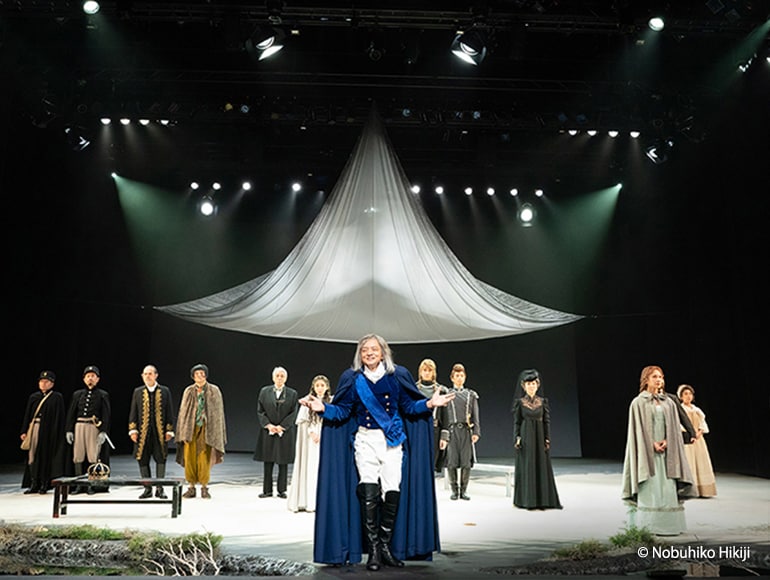
Omdat Sound xR Image een nauwkeurige positionering van waargenomen geluidsbronnen overal in een ruimte mogelijk maakt, is het een ideale manier om ervoor te zorgen dat de geluiden die door een artiest worden geproduceerd, afkomstig zijn van de locatie van die artiest voor een maximaal realisme. Het kan ook worden gebruikt om geluidseffecten overal in de ruimte of rond het publiek te plaatsen voor de grootst mogelijke impact.
Belevingsinstallatie
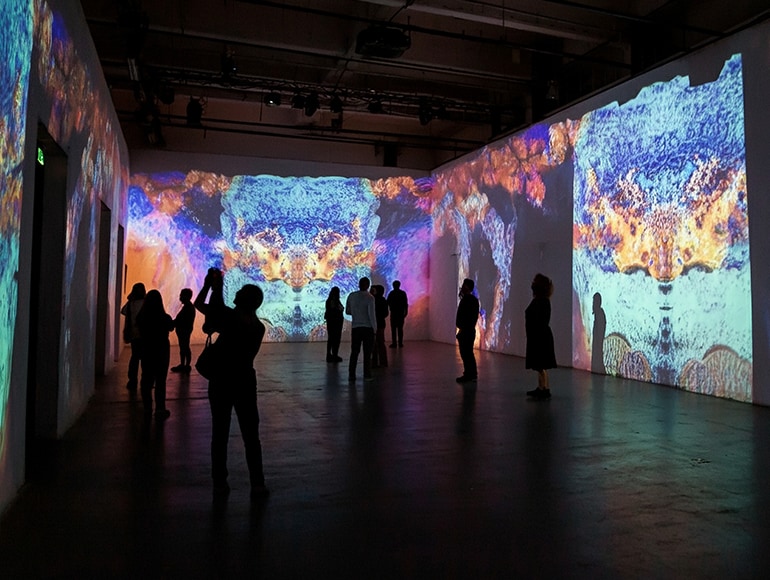
Uitzonderlijke ervaringen voor interactieve tentoonstellingen
Het creëren van geluid is een ander gebied waarin Sound xR Image uitblinkt, waardoor het mogelijk wordt om unieke nieuwe geluidservaringen te leveren in musea, themaparken, projection mapping-installaties en nog veel meer. In interactieve tentoonstellingen kan het bezoekers een meer persoonlijke, intieme ervaring geven die een blijvende indruk achterlaat.
Liveoptredens
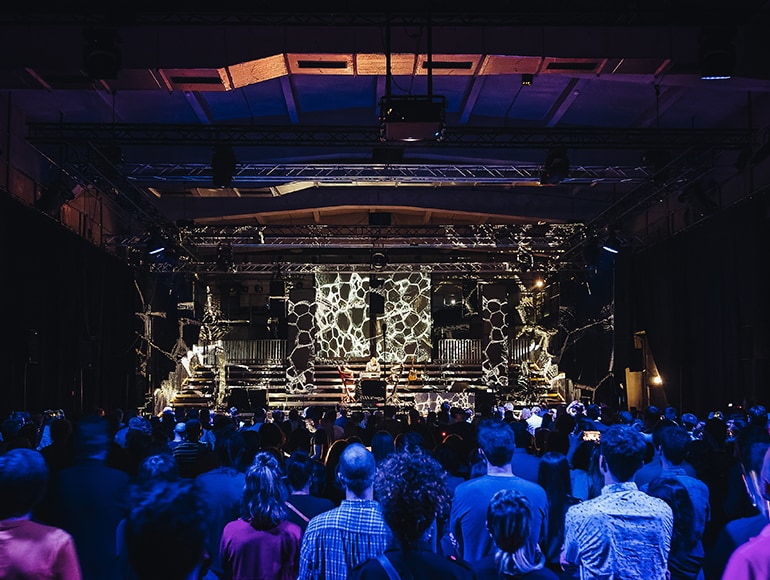
Immersieve indeling verhoogt de kwaliteit van live muziek
De “realiteitsverbeterende” mogelijkheden van deze technologie zijn ook ideaal voor toepassing op live muziekuitvoeringen. Door ervoor te zorgen dat het geluid van elk individueel instrument of stem in een ensemble daadwerkelijk lijkt te komen van het corresponderende instrument of de corresponderende stem, krijgt het publiek een groter gevoel van realiteit, diepte en onderdompeling in de muziek.
Systeemcomponenten
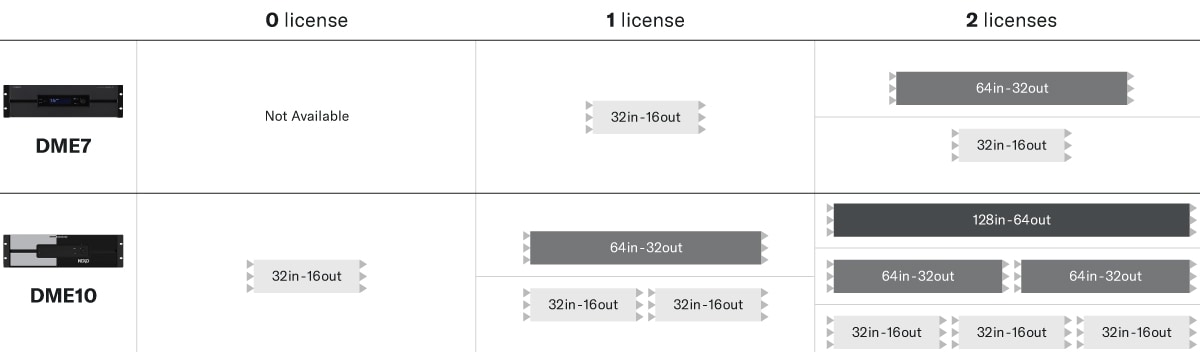
De configuratie voor apparaten die Sound xR Image processing uitvoeren, bestaat uit een combinatie van de DME10 en de NX-AFC-I uitbreidingslicentie, of een combinatie van de DME7 en de DEK-AFC-I uitbreidingslicentie. Het aantal ondersteunde geluidsobjectingangen en luidsprekeruitgangen varieert afhankelijk van de gebruikte combinatie (zie onderstaande tabel). Door dit te combineren met de uitgebreide luidsprekerprogramma's van Yamaha en NEXO kunt u de optimale systeemoplossing vinden voor elke ruimte.
* Let op: licenties worden apart verkocht en voor activering is Yamaha's ProVisionaire Cloud vereist.
Naadloze workflow
Bij het creëren van immersive audio komt heel wat software kijken, van het nauwgezet creëren van inhoud tot het simuleren van de akoestiek van de luidsprekers. Sound xR Image vermindert deze werklast door de gegevens die nodig zijn voor de systeembouw bij elke stap te optimaliseren en te laden - van studio tot echte locatie - waardoor een naadloze workflow mogelijk wordt. Hierdoor kunnen geluidsmakers en geluidstechnici zich richten op het creëren van de gewenste akoestische ruimte zonder belast te worden met technische taken.
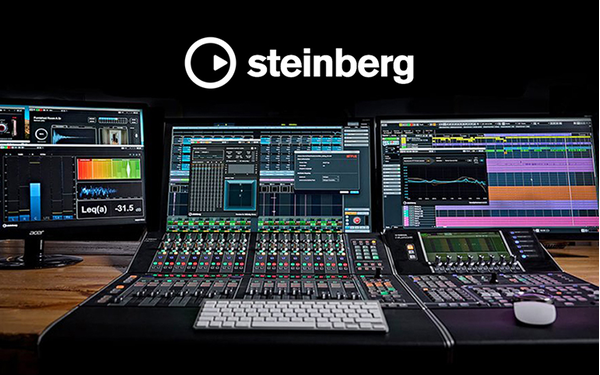
Contentcreatie met Nuendo
De DAW-software “Nuendo” van Steinberg biedt immersieve mixmogelijkheden, zodat u moeiteloos meeslepende inhoud kunt creëren voor evenementen van klein tot groot. U kunt live- of studio-optredens, evenals geïmporteerde audiobronnen, soepel bewerken en samenvoegen op een enkele tijdlijn. Via OSC (Open Sound Control) kunt u de pan-informatie van de VST Multipanner rechtstreeks bedienen met Sound xR Image.
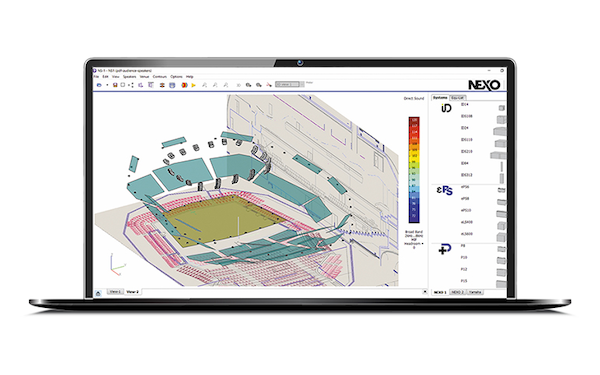
Simulatie van luidsprekersysteem met NS-1
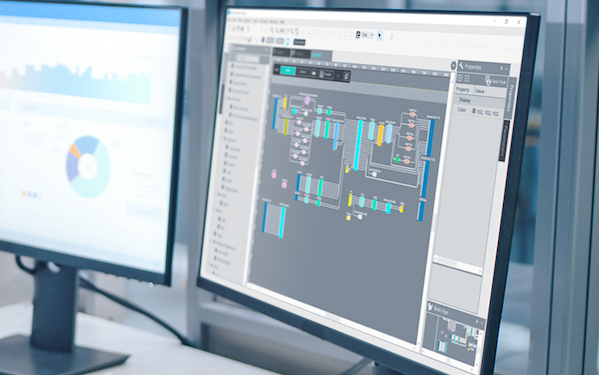
Het bereiken van immersieve audio vereist een nauwkeurige plaatsing van de luidsprekers. De functie “Sound xR Design Assistant” in “NS-1”, speciale software voor het flexibel configureren van NEXO- en Yamaha-luidsprekersystemen, helpt u bij het bepalen van het aantal en de optimale plaatsing van de luidsprekers die nodig zijn om het hele publiek een samenhangende audio-ervaring te bieden. Dit is gebaseerd op zaal- en podiumafmetingen, gangbreedtes en andere informatie. U kunt het configuratiebestand voor uw ontworpen luidsprekersysteem ook exporteren en importeren in de “Sound xR Image Controller”.
Geïntegreerd systeemontwerp met ProVisionaire Design
Yamaha's “ProVisionaire Design” maakt het mogelijk om “configuraties” te maken, dit zijn interne processorinstellingen. Door configuraties te ontwerpen die Sound xR Image omvatten, kunt u immersieve audiosystemen met intuïtieve configuratie bouwen. Systemen met verschillende input/output-aantallen kunnen op schaal worden geconstrueerd, wat een uitstekende aanpasbaarheid biedt. Bovendien kunnen instellingen voor compatibele eindversterkers, I/O-apparaten, microfoons en meer gezamenlijk worden beheerd.
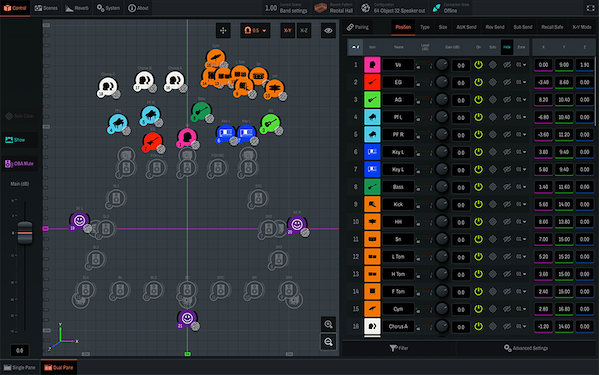
Spatial Mixing met Sound xR Image Controller
De “Sound xR Image Controller” ondersteunt objectgebaseerd audiomixen met zijn geavanceerde, intuïtieve gebruikersinterface. Diverse functies zoals “3D Reverb” maken een flexibele en genuanceerde geluidsexpressie mogelijk.
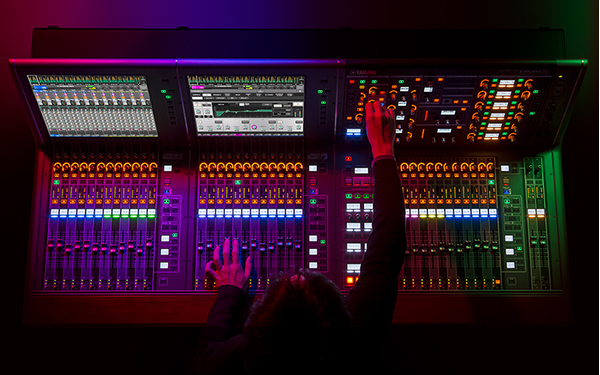
Bediening met digitale mengpanelen van Yamaha
Om live mixen nog gemakkelijker te maken, is Sound xR Image standaard compatibel met Yamaha digitale mengpanelen*. Zowel ingangskanalen als mixbussen kunnen flexibel worden toegewezen en objectposities kunnen via het touchscreen worden gemanipuleerd. Bovendien kunnen de Main Fader en de 3D Reverb Main Fader van Sound xR Image worden bediend via fysieke faders en is het mogelijk om Scene Recall te koppelen.
*Deze functie zal in de toekomst beschikbaar zijn.
Integraties van derden
Sound xR Image integreert met uw DAW, showcontroller, volgsysteem en andere apparaten via het OSC- of ADM-OSC-protocol. Dit maakt controle en monitoring van Sound xR Image-parameters vanuit externe tools mogelijk. Momenteel wordt de volgende externe software ondersteund:
Belevingscentra
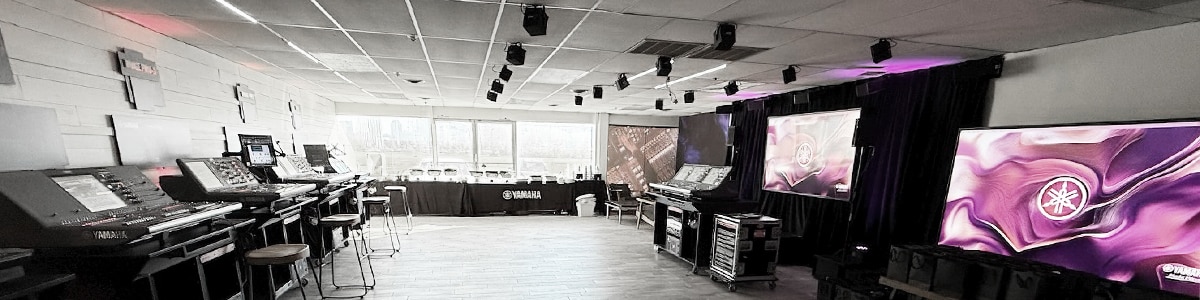
Ervaar de Sound xR-oplossingen in de ‘Sound xR Immersive Hub’. De locaties die momenteel operationeel zijn, staan hieronder vermeld. Neem voor meer informatie contact op met Yamaha's verkoopmaatschappijen in elk gebied of met NEXO-distributeurs.
Yamaha Corporation Hoofdkantoor (10-1 Nakazawacho, Chuo Ward, Hamamatsu, Shizuoka 430-0904, Japan)
Yamaha Music Yokohama Minato Mirai (5-1-2 Minatomirai, Nishi Ward, Yokohama, Kanagawa 220-0012, Japan)
Conservatoire National Supérieur de Musique et de Danse [CNSMDP] (209, avenue Jean Jaurès 75019 Parijs, Frankrijk)
Yamaha Music Asia (No. 7 Tai Seng Drive #01-01, Singapore 535218, Singapore)
Training
Duik dieper in Sound xR. Wij bieden online trainingen voor Sound xR Image. Door online trainingen te volgen via Audioversity Online, kunt u een certificaat van voltooiing en AVIXA CTS-credits verdienen, waarmee u gekwalificeerd bent om als Sound xR Image Certified Supporter aan de slag te gaan. Als u zich verder wilt specialiseren, kunt u een praktijkgerichte training volgen in onze ervaringscentra. Er is geen online training beschikbaar voor Sound xR Enhance. Neem voor meer informatie contact op met Yamaha's verkoopfilialen in uw regio of met NEXO distributeurs.
*De trainingsinhoud staat gepland voor publicatie in februari 2026.
Productassortiment
-
DME7
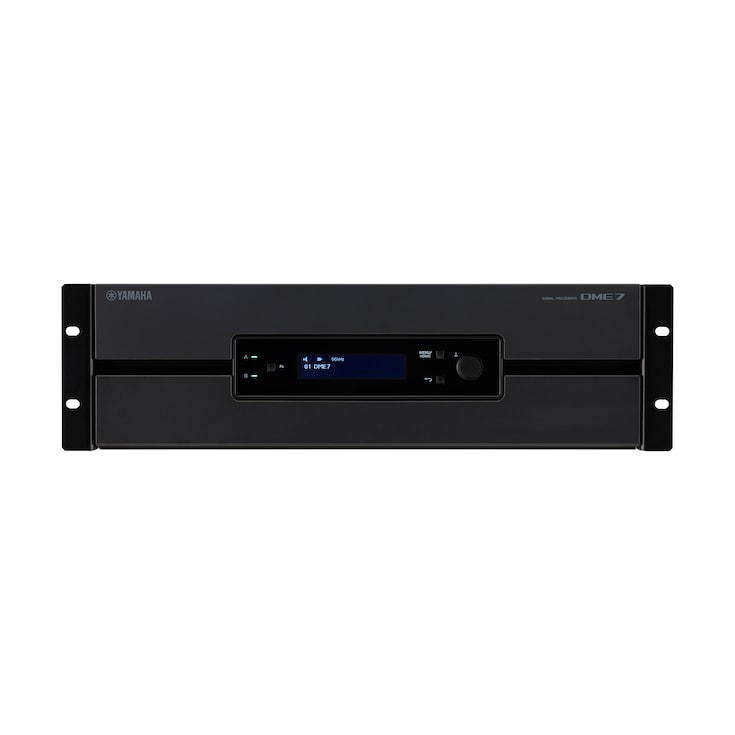
Een digitale signaalprocessor van het Open Architecture-type die geavanceerde prestaties en connectiviteit biedt, 96 kHz geluidskwaliteit, tot 256 in-/uitgangskanalen en 64 kanalen Sound xR Image objectgebaseerd mixen met geavanceerde 3-Dimensionale nagalm.
-
DME10 (NEXO)

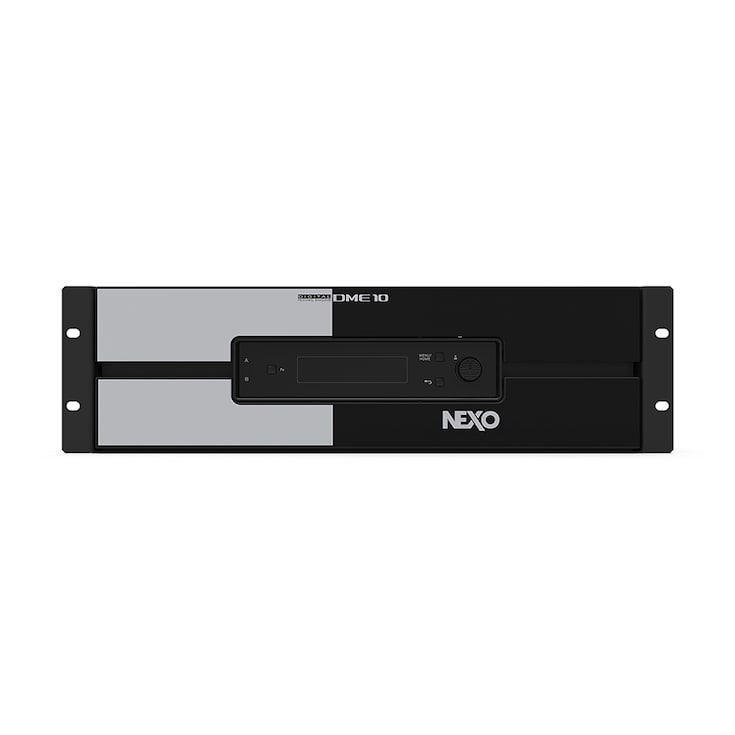
Een digitale signaalprocessor van het Open Architecture-type die geavanceerde prestaties en connectiviteit biedt, 96 kHz geluidskwaliteit, standaard 256 in-/uitgangskanalen en tot 128 kanalen Sound xR Image objectgebaseerd mixen met geavanceerde 3-Dimensionale nagalm.
Gerelateerde informatie
Gerelateerde Producten
Case studies

* Specificaties kunnen op elk moment worden gewijzigd zonder voorafgaande aankondiging. De weergegeven kleuren en afwerkingen kunnen verschillen van de werkelijke producten.
