


Welkom bij EXPANSION EXPLORER, een one-stop-oplossing voor het ontdekken, installeren en beheren van Expansion-inhoud op Yamaha PSR-SX920/SX720/A5000 en Genos2 Arranger Workstations.


Welkom bij EXPANSION EXPLORER!
Een one-stop oplossing voor het ontdekken, installeren en beheren van Expansion-inhoud op Yamaha PSR-SX920/SX720/A5000 en Genos2 Arranger Workstations.
-
APPLICATIE UITLEG
Verbeter je speelervaring met Expansion Explorer, waarmee je Expansion Content makkelijker kunt beheren en installeren.
-
Wat is er nieuw in versie 1.5?
Introductie van een nieuw Launcher Menu, Preset zoeken en slimmer contentbeheer.
What is Expansion Content?
Expansion Content includes free additional Voices, Styles, MultiPads, and more for you to install and enjoy on your Arranger Workstation. A growing library of Expansion Content is already available, featuring a diverse range of instruments and Styles from around the world.
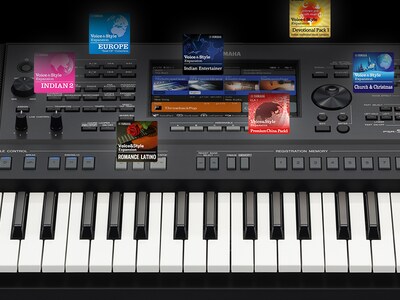
Zoeken
Zoek direct vanuit het nieuwe Launcher Menu en ontdek zowel Expansion en Preset content wanneer je verbonden bent met je instrument. Gebruik geavanceerde filters om de resultaten te verfijnen op land, tempo, beat en meer.

Style Recommendations
If you have an audio file of the song you want to play, EXPANSION EXPLORER can analyze it and recommend the most suitable Style from the Expansion Content library for your performance.
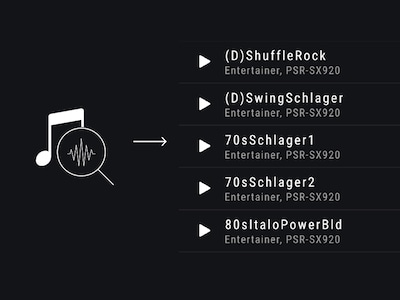
Pre-listen
Content can be auditioned in the app before installation. You can listen to the auditions anytime, even without being connected to your instrument.

Install
The app installs your chosen content directly to your instrument. Depending on your instrument’s specification, this is done wirelessly or via a USB cable.
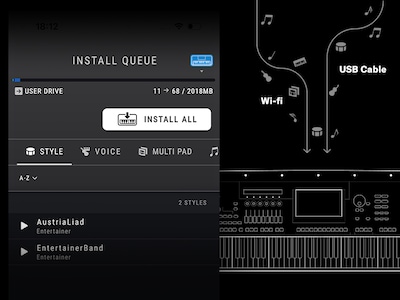
Contentbeheer
Beheer je registratiebanken en afspeellijsten makkelijk - bekijk de inhoud, geef items een andere naam en pas de volgorde aan. Op Windows en Mac kun je ook content van derden, zoals packs, stijlen, stemmen, nummers en registraties, rechtstreeks naar je aangesloten instrument importeren en installeren.

Cautions
Contents already installed by Yamaha Expansion Manager into the Expansion area of your keyboard, including pre-installed content in PSR-SX920 and 720, will be removed when installing new content from Yamaha EXPANSION EXPLORER.
About pre-installed content in PSR-SX920 and 720, you will be able to reinstall them through the EXPANSION EXPLORER app, if desired.
* Specificaties kunnen op elk moment worden gewijzigd zonder voorafgaande aankondiging. De weergegeven kleuren en afwerkingen kunnen verschillen van de werkelijke producten.
